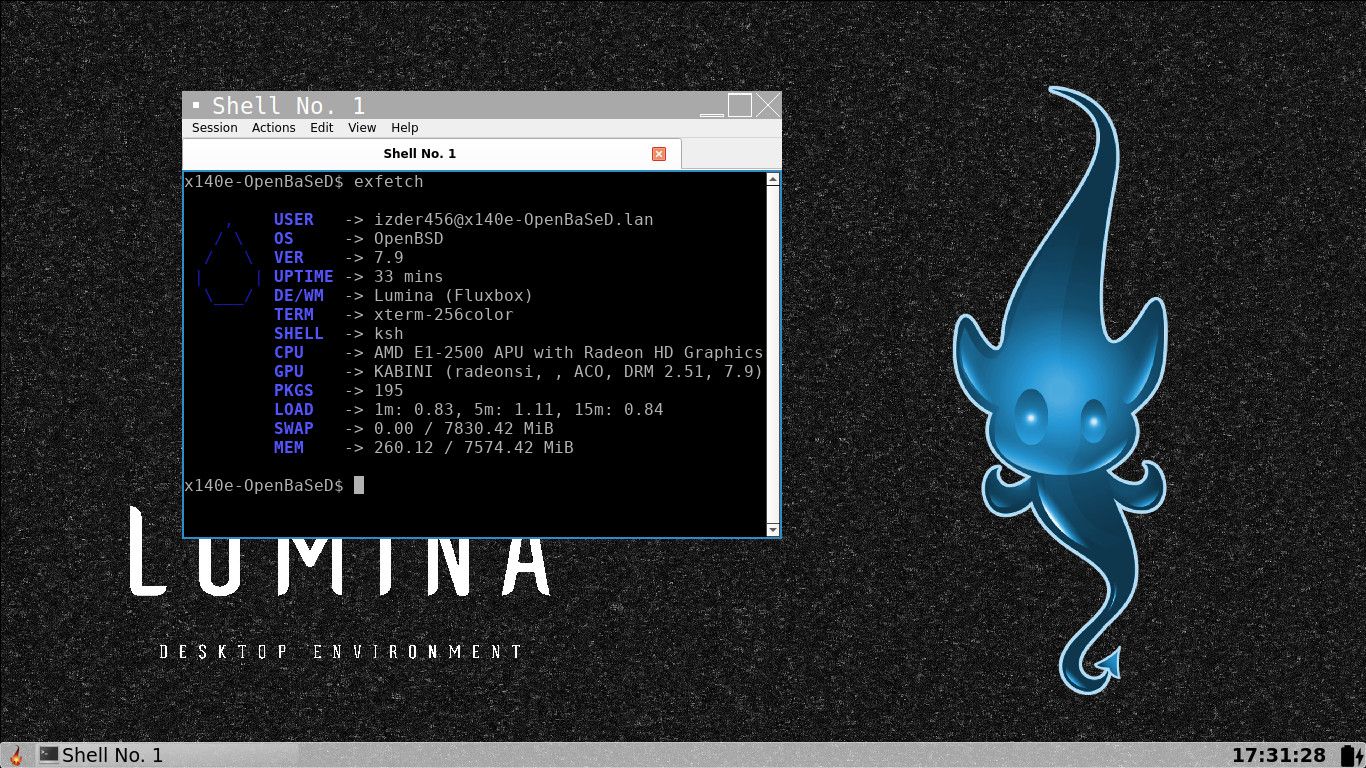
What title says
More info here: https://github.com/outpaddling/desktop-installer/issues/30#issuecomment-4835472901
 I
I
What title says
More info here: https://github.com/outpaddling/desktop-installer/issues/30#issuecomment-4835472901
izder456 said:
This night, I tested Lumina on a fresh OpenBSD (qemu).
I was surprised to realize that there was no default terminal; you have to install one – unlike with Xfce or Mate.Similarly, I was unable to get the system to display messages in French; it simply wouldn’t work, even though the LC_MESSAGES environment variable had been set in my personal .profile file, or even via the available settings; when I restarted the session, it was still in American English!
After, I install Xfce; this DE recognize immediatly my personals parameters.
"Hi haaaa!"Bye Lumina! Anyway, I’ve always been a fan/lover of Xfce.
PS: This post is not a request for help; just a little story.
I just opened a PR in the github repository adding Lumina now that this script is more modular.
https://github.com/outpaddling/desktop-installer/pull/66
I also made it install qterminal as the default terminal.
It seems the lumina port on OpenBSD is out of date, (1.4.x vs 1.6.x), so maybe your locale issues are solved in a newer version.
feel free to test this, I'll update the OpenBSD-wip port shortly after a merge of this PR.
It has been merged. Feel free to test the new ports in OpenBSD-wip now. Also feel free to report your experience to the GitHub thread.
CC @CiotBSD
OK, i was able to install OpenBSD 7.9 on the i3 NUC. Firmware has been installed via USB drive and my laptop (running CachyOS again) with the manual on screen. Wifi is up and operational. I may take this opportunity to modify my boot image to include the firmware as per the instructions.
For the record, and as a FYI for future you, it is possible do an offline install of OpenBSD from usb using installXY.img, then with another computer, make a fat32 formatted usb drive with your wifi firmware on it. then its as simple as running fw_update against the mounted usb drive following the manual page for it on your newly installed OpenBSD installation.
Do note- wifi firmware isn't the only firmware usually needed for full functionality on most amd64 devices. Once you get a network going, remember to run fw_update again with no arguments to fetch and install any other missing firmware.
Happy hacking!
This night, I tested Lumina on a fresh OpenBSD (qemu).
I was surprised to realize that there was no default terminal; you have to install one – unlike with Xfce or Mate.Similarly, I was unable to get the system to display messages in French; it simply wouldn’t work, even though the LC_MESSAGES environment variable had been set in my personal .profile file, or even via the available settings; when I restarted the session, it was still in American English!
After, I install Xfce; this DE recognize immediatly my personals parameters.
"Hi haaaa!"Bye Lumina! Anyway, I’ve always been a fan/lover of Xfce.
PS: This post is not a request for help; just a little story.
I just opened a PR in the github repository adding Lumina now that this script is more modular.
https://github.com/outpaddling/desktop-installer/pull/66
I also made it install qterminal as the default terminal.
It seems the lumina port on OpenBSD is out of date, (1.4.x vs 1.6.x), so maybe your locale issues are solved in a newer version. 
feel free to test this, I'll update the OpenBSD-wip port shortly after a merge of this PR.
@izder456
Your quote in your tagline as a haiku:I say mundane things
so the uninteresting
just might get noticed.
can i steal this? i wanna put this in my signature. i like this a lot.
Hi.
I've just to read only the "OpenBSD installer".
About Xfce, it seems me that it's missing this:
usermod -G _shutdown,wheel <username>
_shutdownto shutdown or reboot sys, since 7.4wheelto manage/enable the sleep and hibernate functions
We use consolekit for this on supported desktops, including xfce, like the pkg-readme says to. This change isn't needed. Also by default the regular user made in the installer of the OpenBSD system is in :wheel by default.
For Gnome, it's seems to needed to manage limits, like on
/etc/login.conf:gnome:\ :datasize-cur=1024M:\ :tc=default:and adding user to gnome:
usermod -L gnome <username>
(see the pkg_readme of gnome)
I see no mention of login class settings for gnome in the pkg-readme.
Also don't set this. This is lower than the default class, and will likely break things:
default:\
        :path=/usr/bin /bin /usr/sbin /sbin /usr/X11R6/bin /usr/local/bin /usr/local/sbin:\
        :umask=022:\
        :datasize-max=1536M:\
        :datasize-cur=1536M:\
        :maxproc-max=256:\
        :maxproc-cur=128:\
        :openfiles-max=1024:\
        :openfiles-cur=512:\
        :stacksize-cur=4M:\
        :localcipher=blowfish,a:\
        :tc=auth-defaults:\
        :tc=auth-ftp-defaults:
@naltun report your experience to this thread please when you do:
https://github.com/outpaddling/desktop-installer/issues/30
thanks for the kind words!
This additionally adds gnome and kde support too.
also there's a wip installer for the script for the time being while its not in the official openbsd ports collection.
I plan on re-submitting the ports to ports@ once the ports tree unlocks again.
https://github.com/outpaddling/desktop-installer/blob/master/OpenBSD/getting-started.md
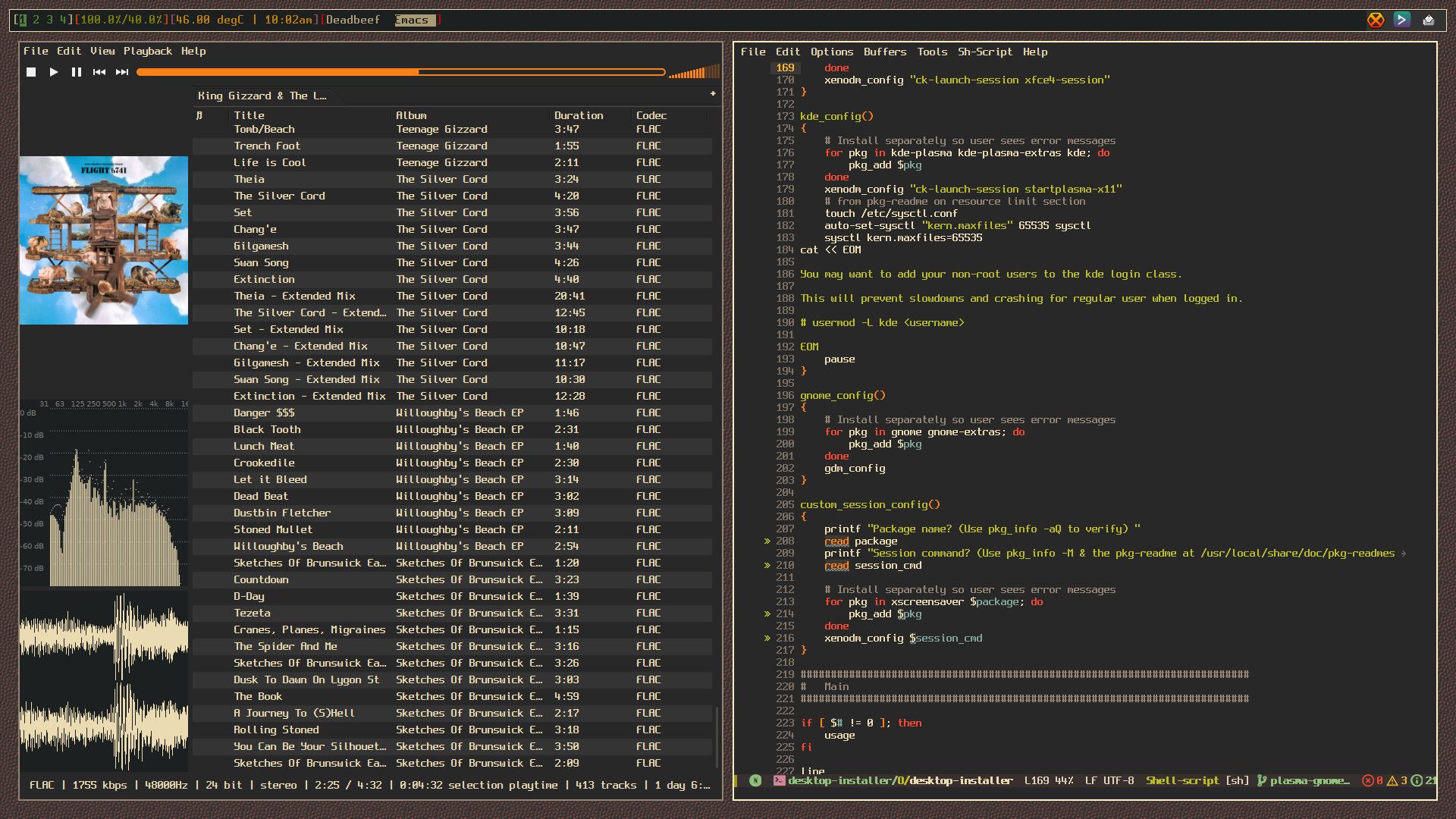
Here's another screenshot. I recently rebuilt the King Gizzard portion of my music library as I had a few duplicates. shown on the left is deadbeef with a playlist open with King Gizzard's discography, and on the right it emacs editing the OpenBSD port of the well-known desktop-installer script originally for FreeBSD I have been working on cleaning up lately.
Hello OpenBSD-ers (also posted on misc@),
A friend of mine was installing OpenBSD for the first time, and came
upon a minor roadblock. Em didn't realize that you should really
install all system software sets unless you're looking for a whole
world of issues any sane person may not want to deal with. Part of me
wanted to say to my friend: "Read the FaQ and get stuffed!", I didn't
cos that wasn't the best idea to say to a new user. 
I understand if devs and any contributor feel(s) like my initial
reaction, but would it hurt to add a 1/2-line warning?:
...
[[LIST OF SETS]]
You probably want to install all sets if you're new. See
https://www.openbsd.org/faq/faq4.html#FilesNeeded for more information.
Location of sets? [cd0 disk http nfs or 'done'] default
I am flexible where this comment can be added, there's a couple places
that seem alright for different reasons.
It might be a good idea to add this just so people are better
informed about the system in a place where they might footgun
themselves. Linking to the FaQ header could go a long way to teach the
behavior of reading docs, if not already set in stone before coming to
OpenBSD.
Thoughts? I'm considering writing a diff if more end users than myself are interested.
https://codeberg.org/Izder456/dotfiles/src/branch/main/.local/bin/fastestmirror
wrote this Perl script to find the fastest mirror for you via scraping ftp.html for the mirror list
#openbsd #bsd #runbsd
Responding to clear up some confusion and to give you general hints as you discover more about the system. Feel free to ignore if you wanna discover in your own time via man and info pages.
Keybind notation in this post uses emacs notation.
Ex:
C-A-d means: Control + Alt/Meta + The literal letter d
Without much structure or thought, might serve as a record, for me or others.
Installer: from usb stick, the install experience is nice! Just hardcore enough that I feel the system assumes I have some idea about computery things, but not brew to the point of confusion. For example, at one point it asks which install target, and prompts "sd0 sr1 ?" (or such.. maybe a b... don't take my word). On pressing ? it gives a brief oneliner of each device. Just enough to make the choice, just brew enough I'm amazed.
At one point install prints "relinking to make unique kernel". Wow.
Booting: after entering passphrase, it gives me "boot>". Okay... Boot you say? So I type "boot", half-expecting based on past grub experience I will see some arcane message. But instead it actually boots! Neat.
You can also just wait it out, IIRC after some timeout (can't remember how long), it'll automatically run that command for you. OFC you can interrupt this timer by typing anything. This is particularly useful if you wanna boot a different kernel such as bsd.rd (which is a ramdisk kernel that contains the upgrade/install stuff and a basic shell environment for emergencies):
boot> boot bsd.rd
or to boot the single processor kernel rather than a muliprocessor kernel on a multiprocessor machine while troubleshooting:
boot> boot bsd.sp
You can also get a list of commands available at this boot prompt which may prove useful in some scenarios:
boot> help
On login to system, there's a welcome mail with instructions. The man pages indeed work! Could connect to wifi with just using ifconfig. Well, needed fw_update first to get the wifi driver. Where are the logs though? Linux would spray dmesg with link state foo bar, or wpa auth so and so.. here I didn't notice similar.
Minor correction. Like the name suggests, fw_update just updates/installs missing firmware needed by drivers. Since OpenBSD's kernel is non-modular, all this command does is let some particularly non-free devices behave correctly by letting the built-in kernel drivers load the needed firmware. This fw_update utility doesn't "install" drivers.
You can preserve ifconfig settings across reboots with hostname.if files too btw.
man hostname.if
As for logs, for the whole system (with some exceptions), usually they go into some subdirectory/subfile of /var/log. Plaintext OFC for sanity. For ifconfig specific information, just run ifconfig against your interface name. Eg:
~ $ ifconfig em0
em0: flags=8802<BROADCAST,SIMPLEX,MULTICAST> mtu 1500
        lladdr 34:17:eb:ac:6d:bf
        index 1 priority 0 llprio 3
        media: Ethernet autoselect (none)
        status: no carrier
(Sidenote: the feeling when you adjust ifconfig and route, it still doesn't work, and it turns out be a flaky cable... flood ping for the rescue)
Congrats! ifconfig is one of my favorite features of OpenBSD's configuration.
Looking at the filesystem. Looks clean! Hm, no /proc, /sys? Where do I get some stats about the battery? Will discover later.
man apm
man apmd
man sysctl
man sysctl.conf
Consoles... multiple consoles anyone? Alt+F2 doesn't work. Maybe it is the key mapping, or maybe it is not supposed to have multiple consoles by default?
Just like Linux, which you may be already familiar with, you use C-A-Fn, where n is the tty number you want to navigate to, corresponding to a "Function" key on your keyboard. By default X11 launches on tty5 and kernel messages are on tty1. The rest are login(1) prompts. You can inspect /etc/ttys to learn about the default tty config.
man ttys
Hm, what could be the equivalent of "loadkeys"? Well, can work with en layout for now.
man wscons
man wsconsctl
man wsconsctl.conf
man kbd
startx gives me xterm and xclock, with a blue-red colorscheme. Wicked.
I'd suggest using the XenoDM rc script and login manager. It is more secure. Just using xinitrc/startx doesn't lock the tty that X11 runs in so a passerby can just C-A-Fn then C-d/C-z to fork to the x11 process to bg and get a free shell in your name. With XenoDM, it dedicates a tty for X11 only (tty5 by default) so you can't use anything other than x11 in that tty. It also correctly handles privsep/privdrop whereas startx/xinitrc does not which can fix some quirks you may come upon.
man rcctl
man xenodm
man xsession
man rc.subr
pkg_add works. pkg_info executed plainly gives a list of explicitly installed packages!
I love the OpenBSD package system. Super simple and easy to use. Fun fact! They're just perl scripts.
To be continued, eventually...
Godspeed. Enjoy OpenBSD!
Happy Hacking!
Pardon the long reply here, I am mainly writing this so I, or someone else like you can report the accurate behavior to ports@ so things can be fixed if they need to be.
I don't remember that being an issue with the icons, or if it was, I installed them shortly thereafter.
I don't see the icons you used (papirus-icon-theme) as a depend of lxqt or lxqt-extras on -stable, but -current seems to also not have them:
~ $ pkg_info -Dsnap -f lxqt | awk '/^@depend/ { print $2 }'
x11/lxqt/about:lxqt-about-*:lxqt-about-2.2.0
x11/lxqt/config:lxqt-config-*:lxqt-config-2.2.0
x11/lxqt/globalkeys:lxqt-globalkeys-*:lxqt-globalkeys-2.2.0
x11/lxqt/notificationd:lxqt-notificationd-*:lxqt-notificationd-2.2.0
x11/lxqt/obconf-qt:obconf-qt-*:obconf-qt-0.16.5p1
x11/lxqt/panel:lxqt-panel-*:lxqt-panel-2.2.2p0
x11/lxqt/pcmanfm-qt:pcmanfm-qt-*:pcmanfm-qt-2.2.0
x11/lxqt/policykit:lxqt-policykit-*:lxqt-policykit-2.2.0
x11/lxqt/powermanagement:lxqt-powermanagement-*:lxqt-powermanagement-2.2.0
x11/lxqt/qterminal:qterminal-*:qterminal-2.2.0
x11/lxqt/qtermwidget:qtermwidget-*:qtermwidget-2.2.0
x11/lxqt/qtplugin:lxqt-qtplugin-*:lxqt-qtplugin-2.2.0
x11/lxqt/session:lxqt-session-*:lxqt-session-2.2.0
x11/lxqt/themes:lxqt-themes-*:lxqt-themes-2.2.0
~ $ pkg_info -Dsnap -f lxqt-themes | awk '/^@depend/ { print $2 }'
x11/gtk+4,-guic:gtk4-update-icon-cache-*:gtk4-update-icon-cache-4.22.2
sudo is not currently installed ('pkg_info | grep sudo' only reveals ksudoku, a game)
It seems to be related to x11/lxqt/sudo (or lxqt-sudo being installed by lxqt-extras):
~ $ pkg_info -f lxqt | awk '/^@depend/ { print $2 }'
x11/lxqt/about:lxqt-about-*:lxqt-about-2.2.0
x11/lxqt/config:lxqt-config-*:lxqt-config-2.2.0
x11/lxqt/globalkeys:lxqt-globalkeys-*:lxqt-globalkeys-2.2.0
x11/lxqt/notificationd:lxqt-notificationd-*:lxqt-notificationd-2.2.0
x11/lxqt/obconf-qt:obconf-qt-*:obconf-qt-0.16.5p0
x11/lxqt/panel:lxqt-panel-*:lxqt-panel-2.2.2
x11/lxqt/pcmanfm-qt:pcmanfm-qt-*:pcmanfm-qt-2.2.0
x11/lxqt/policykit:lxqt-policykit-*:lxqt-policykit-2.2.0
x11/lxqt/powermanagement:lxqt-powermanagement-*:lxqt-powermanagement-2.2.0
x11/lxqt/qterminal:qterminal-*:qterminal-2.2.0
x11/lxqt/qtermwidget:qtermwidget-*:qtermwidget-2.2.0
x11/lxqt/qtplugin:lxqt-qtplugin-*:lxqt-qtplugin-2.2.0
x11/lxqt/session:lxqt-session-*:lxqt-session-2.2.0
x11/lxqt/themes:lxqt-themes-*:lxqt-themes-2.2.0
~ $ pkg_info -f lxqt-extras | awk '/^@depend/ { print $2 }'
meta/lxqt,-main:lxqt-=2.1.0:lxqt-2.1.0
x11/lxqt/lximage-qt:lximage-qt-*:lximage-qt-2.2.0
x11/lxqt/openssh-askpass:lxqt-openssh-askpass-*:lxqt-openssh-askpass-2.2.0
x11/lxqt/pavucontrol-qt:pavucontrol-qt-*:pavucontrol-qt-2.2.0
x11/lxqt/runner:lxqt-runner-*:lxqt-runner-2.2.0
x11/lxqt/screengrab:screengrab-*:screengrab-3.0.0
x11/lxqt/sudo:lxqt-sudo-*:lxqt-sudo-2.2.0
It's still LXQt 2.2.0. OpenBSD -current.
I checked on -stable in above, but this sudo thing seems to be true for -current as well if you have lxqt-extras installed:
~ $ pkg_info -Dsnap -f lxqt-extras | awk '/^@depend/ { print $2 }'
meta/lxqt,-main:lxqt-=2.1.0:lxqt-2.1.0
x11/lxqt/lximage-qt:lximage-qt-*:lximage-qt-2.2.0
x11/lxqt/openssh-askpass:lxqt-openssh-askpass-*:lxqt-openssh-askpass-2.2.0
x11/lxqt/pavucontrol-qt:pavucontrol-qt-*:pavucontrol-qt-2.2.0
x11/lxqt/runner:lxqt-runner-*:lxqt-runner-2.2.0
x11/lxqt/screengrab:screengrab-*:screengrab-3.0.0p0
x11/lxqt/sudo:lxqt-sudo-*:lxqt-sudo-2.2.0
You're right that the session manager doesn't work correctly; it only takes me back to the xenodm login screen no matter what option I select. Generally the only time I reboot is from a weekly 'syspatch -s'.
I wonder if adding your user to the _shutdown group would fix this.
# usermod -G _shutdown <username>
Could you try that and see if that fixes the session manager and report back?
Thanks. It's not a very complicated setup (that would be my Debian+sway workstation with custom keybindings) but it's functional and reliable. LXQt is underrated as a traditional desktop.
Did you have issues with the default config weirdness? When I was testing my PRs of desktop-installer to add OpenBSD support (still trying to get that imported into the ports tree), it had strange defaults like forcing you to install sudo (even if you wanted doas only), or no desktop icon theme installed by default, or the session manager popup from the "start" menu not handling power on / power off / reboot correctly (even when following the pkg-readme)?
I wish I were an active user of LXQt cos then I'd have a reason to fix these weird quirks with the ports/packages if they still existed. Alas, I'm very comfortable in my StumpWM/Emacs setup to change anything major like that.
I have to say, i really like the glassy orb logo. i don't really think it needs changing. i think much the same WRT the website redesign. i like the skeumorphic layout. it reminds me of a time when the web was much more approachable without cleanup software like adblockers. i like the current freebsd website for the same reasons i like the OpenBSD website.
Hello bsd.cafe users!
I wanted to show y'all my desktop. I thought we could start a chain of people posting their desktop setups on their machines running any of the *BSDs
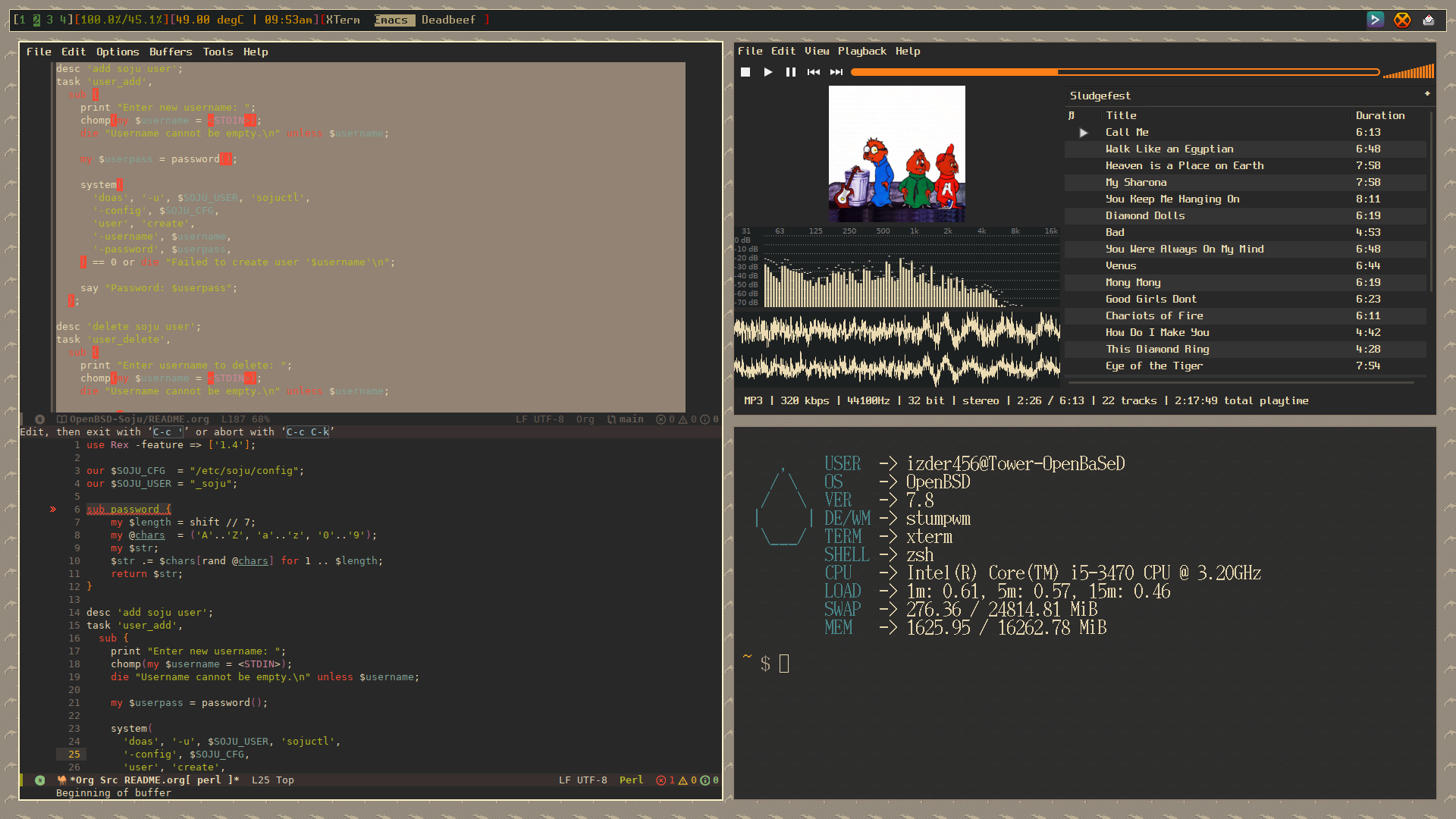
I'll start. This is OpenBSD with StumpWM. Shown is emacs on the left, DeaDBeeF on the top right playing "chipmunks on 16 speed", and xterm on the bottom right. The "bar" is StumpWM's built in modeline.